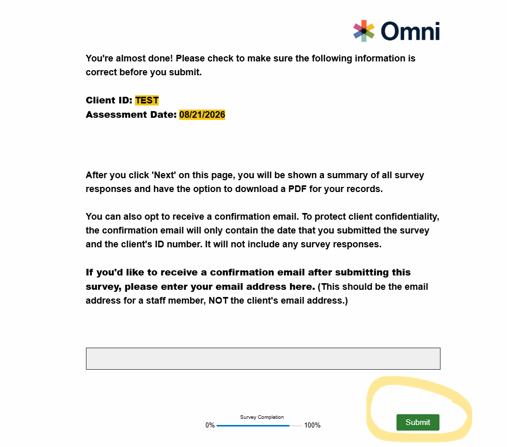
As a reminder for all submitters as SOR IV Year 2 is coming to a close, please check that you all are clicking "submit" at the end of each survey to ensure that completed SUPRT surveys are accurately tracked and credited. This final step confirms the completion process and guarantees that all SUPRT baselines are properly recorded on your weekly tracking sheets, which helps track when follow-ups are due. Additionally, clicking “submit” at the end prompts a confirmation email to be sent (if requested). If you do not click submit, the survey will not count.
Steps to Follow:
Complete the SUPRT survey as usual.
Before closing the survey, make sure to click through to the end and click the "submit" button, as shown below in the bottom right corner of the first image.
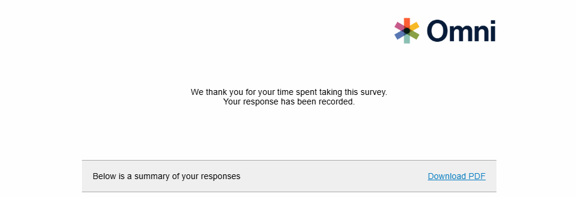
Once submitted, the completed SUPRT will be recorded and you will receive a confirmation email (if requested). The page after submission should also have a link for you all to download a PDF of the submission, as shown below in the second image. The survey should then appear in your next tracking sheet.
If you have any questions or need assistance, please don't hesitate to reach out to our TA Team at SORSupport@omni.org.